Physics-based delay for Mac
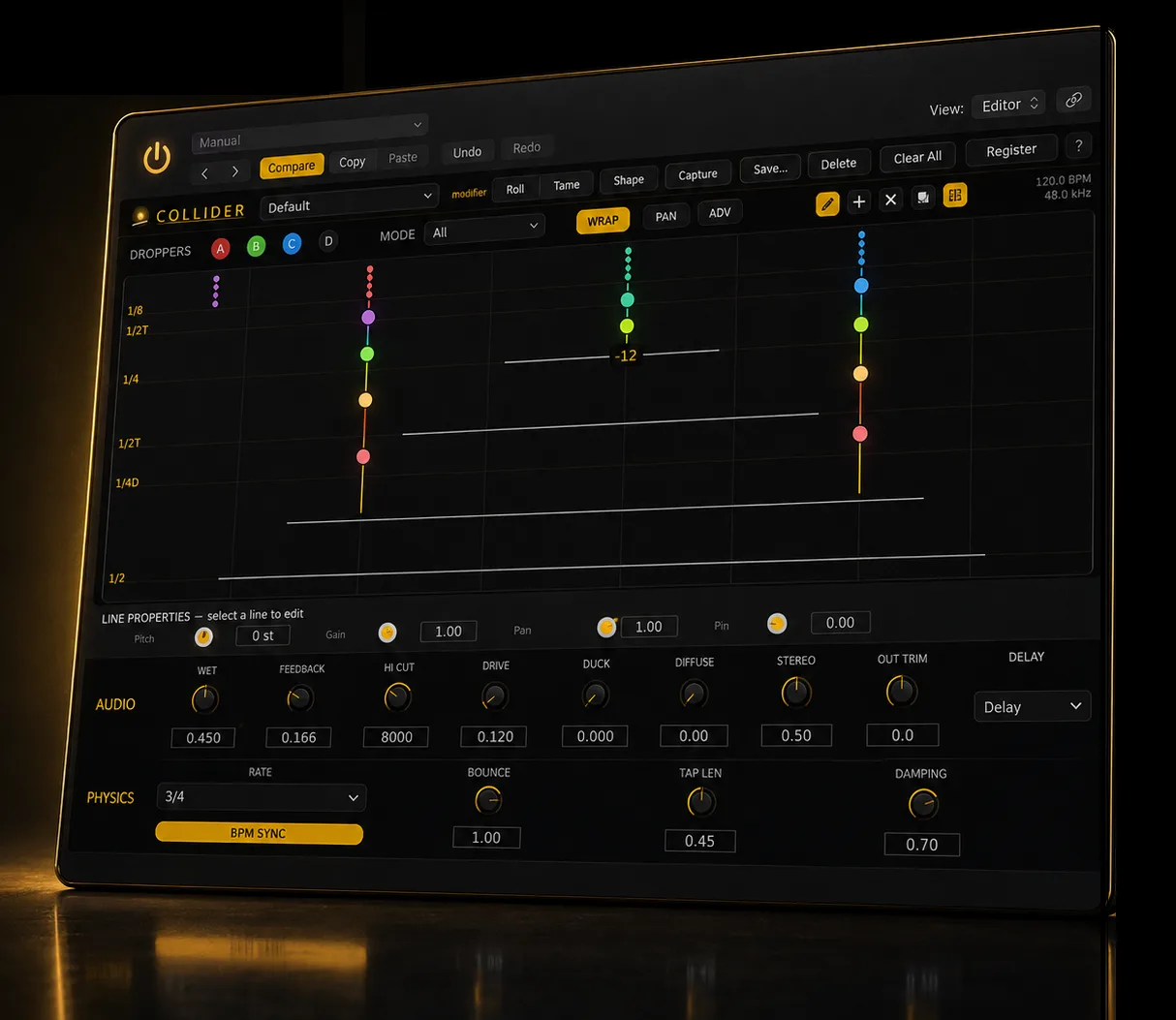
Every note you play drops a glowing ball onto the canvas. Gravity pulls it through your delay lines, and every collision echoes what you played — tempo-locked in Delay mode, or free-falling in Trigger.
$25 $50 launch price · one-time, yours forever · AU + VST3 · Apple Silicon + Intel

How it works
Place colored droppers above a stack of delay lines - draw them anywhere, at any angle. Every bounce and collision becomes an echo, so you build the rhythm by feel.
In Delay mode, gravity, bounce and tap length snap to your project tempo - solved to the grid, locked at any BPM. Flip to Trigger and the physics keeps time instead: echoes land wherever the collisions do.
Per-line pan, stereo spread, diffusion and ducking sweep echoes across a stereo field that moves with the balls - repeats bloom, breathe, and step out of the way of your dry signal.
Hear it
Two quick demos - the same chords, two different worlds. The second one is just three lines, drawn by hand.
Octave Sparkle
Reshaped with 3 lines
Not your average delay
Built-in ducking pulls echoes down while you play and lets them bloom in the gaps - depth and motion without washing out your dry signal.
Delay mode locks every echo to your grid, so a pattern you love repeats exactly. Trigger mode hands the clock to the physics - add per-line probability and drifting aim and loops breathe, shift, and surprise you.
Every collision flashes across the canvas in real time, and any preset reshapes the moment you drag a line or aim a dropper - so the echoes become part of the performance.
Try before you buy
No feature locks, no watermarks. When the trial ends your sessions still open and still pass audio — Collider simply returns to demo mode until you register.
The key and download link land in your inbox. You'll also join the MycoStudio list — unsubscribe anytime.
Check your inbox – your trial license and download link are on the way.
Just want to hear it? Download the installer — free demo mode, no email, no time limit.
Mac AU + VST3, macOS 11+, Apple Silicon + Intel.
Good to know
A delay built on a real physics engine. Play a note and a ball drops onto the canvas; it falls, bounces and collides with delay lines, and every collision becomes an echo of what you played. Two engines shape the timing: Delay locks every bounce to your project tempo, while Trigger lets the physics drive the rhythm.
A Mac on macOS 11 (Big Sur) or later, Apple Silicon or Intel. Collider installs as an Audio Unit and a VST3, passes Apple's AU validation, and loads in any host that supports either format. Mac only at launch - no Windows or AAX.
Over two dozen presets plus a bank of physics designs - slapback, rhythmic, octave, ambient and playful. Every preset's timing is solved to the grid, and you can reshape any of them by dragging right on the canvas.
Two ways in. Download the installer anytime and run it in free demo mode - fully featured, with a few seconds of silence every 90 seconds. Or grab a 14-day trial license above for the complete, uninterrupted plugin. When it expires nothing breaks: your sessions still open and still pass audio, and Collider simply returns to demo mode until you register a full license.
One purchase, one key delivered to your email. Paste it into the plugin and you're done - works offline, no subscription, no online check to play. Yours forever.